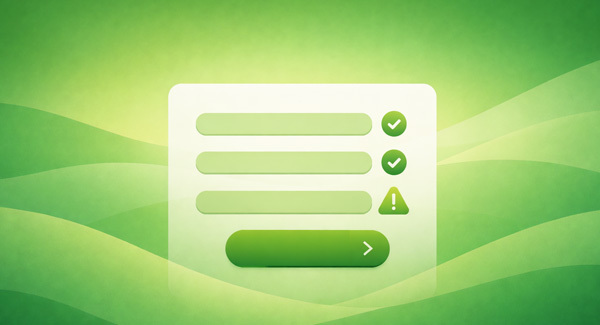
Forms are one of the most important touchpoints on your website. Whether you’re collecting leads, processing orders, or gathering feedback, forms act as the bridge between your audience and your business. Yet a lot of web site managers overlook one crucial element: form validation. When done well, form validation protects your site, improves data quality, supports accessibility, and creates a smoother user experience for everyone.
What Is Form Validation?
Form validation is the process of checking whether the information a user enters into a form is complete, accurate, and formatted correctly before it’s processed or stored. This might include ensuring required fields aren’t left blank, email addresses follow the correct format, or phone numbers only contain valid characters. It also includes making sure hackers aren’t using your forms as an entry point for attack.
Validation can happen in two places: on the client side (in the browser, often using JavaScript or HTML attributes) and on the server side (after the form is submitted and reaches your server). Both play an important role in making forms effective and secure.
Why Does It Matter?
For Security
From a security standpoint, form validation is essential. Client-side validation provides immediate feedback and helps catch simple errors early, but it should never be your only line of defense. Malicious users can bypass browser-based checks entirely.
That’s why server-side validation is critical. It ensures that all incoming data is verified before being saved, processed, or used in your systems. Together, client-side and server-side validation help protect against common threats like SQL injection, spam submissions, and malformed data that could clutter up or compromise your website.
To Gather Clean, Usable Data
For marketers and website managers, data quality is everything. Poorly validated forms lead to messy datasets—misspelled email addresses, inconsistent formats, and incomplete records. This makes it harder to segment audiences, run campaigns, or analyze performance.
Strong validation rules help ensure that the data you collect is clean, consistent, and easy to access or manipulate across platforms like CRMs, email marketing tools, and analytics software. The result is better insights, more effective campaigns, and less time spent cleaning up bad data.
For Accessibility
Accessible form validation is a critical part of building inclusive digital experiences. Clear, specific error messages help users understand exactly what went wrong and how to fix it. Instead of vague messages like “Invalid input,” users should be told exactly which field needs attention and why.
This is especially important for people using screen readers or other assistive technologies. When forms are properly labeled and error messages are programmatically associated with the relevant fields, users can navigate and complete forms more easily and independently.
The World Wide Web Consortium (W3C) provides detailed accessibility guidelines through the Web Content Accessibility Guidelines (WCAG), which include best practices for form validation, error identification, and user feedback. Following these standards not only supports users with disabilities but also reduces legal risks.
For a Better User Experience
Good form validation improves the experience for everyone. Instant feedback reduces frustration, prevents unnecessary page reloads, and helps users complete forms quickly and confidently. When errors are easy to understand and correct, users are less likely to abandon the form altogether.
In short, better forms mean higher conversion rates, fewer support requests, and a more professional brand impression.
Next Steps for Smarter Forms
For marketers and website managers, investing in well-designed, accessible forms pays off in better results and happier users. Setting them up often requires the help of a skilled web developer who understands validation, accessibility standards, and secure data handling. If you need help building or improving your forms, reach out—we’d be happy to help you get it right.